
How to Make and Share Weapon Build Codes in Black Ops 7
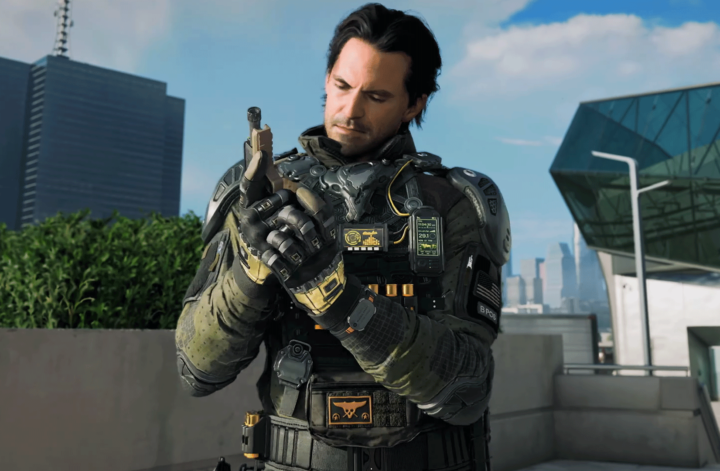
Call of Duty:Black Ops 7 introduces several smart quality-of-life upgrades that reduce menu time and keep players focused on gameplay. One of the most impactful additions is the weapon loadout code system, which allows players to create, copy, and share Gunsmith builds instantly.
With loadout codes, you can duplicate a weapon setup created by a friend, a streamer, or even an opponent who just dominated the match—no manual attachment guessing required.
What Are Weapon Loadout Codes?
Weapon loadout codes are 14-character strings that store a complete Gunsmith configuration for a single weapon. Every attachment choice is saved within the code, allowing another player to recreate the exact same build in seconds.
It’s important to understand that these codes apply only to weapons, not full loadouts. Perks, equipment, field upgrades, and wildcards cannot be shared this way. While that may sound restrictive, it keeps the system balanced—weapon attachments are often optimized for performance, while perks and gear depend heavily on personal playstyle.
When Do Loadout Codes Unlock?
Players gain access to weapon build codes very early. Once you reach Level 4 and unlock custom loadouts, the feature becomes available. This makes it especially helpful for newer players who want proven setups without spending hours experimenting in the Gunsmith.
How to Share a Weapon Loadout Code
Sharing a weapon build is quick and fully automated. Once your attachments are equipped, the game generates a code automatically.
To copy and share a weapon loadout code in BO7:
1.Open the Loadout menu and enter the Gunsmith
2.Select the weapon you want to share
3.Equip your preferred attachments
4.Find the generated build code on-screen
5.Choose Copy Build Code
6.Send the code through chat, messages, or social platforms
The copied code can be shared with anyone, even if they’re offline at the time.
How to Send Weapon Builds Directly to Friends
Black Ops 7 also allows you to skip manual sharing entirely by sending weapon builds straight to players on your friends list. This is ideal for squads that play together regularly.
To send a weapon build directly:
1.Open the Options menu from the loadout screen
2.Select Share Weapon Build
3.Choose one or more friends
4.Confirm the selection
Your friends will receive a notification the next time they log in, letting them view and save the build instantly.
How to Import a Weapon Loadout Code
Using a shared code is just as simple as sending one. As long as you’ve unlocked the required attachments, the weapon can be used immediately.
To import a weapon build code:
1.Open the Options menu in the loadout screen
2.Select Import Weapon Build
3.Paste the 14-character code
4.Review the attachment setup
5.Save the build
If certain attachments are locked, the game will prompt you to remove them before entering multiplayer, ensuring fair play while preserving the rest of the build.
Imported weapons are saved automatically but not equipped by default. You can find them later in your saved builds or blueprints list.
How to Copy Weapon Builds Mid-Match
One of the standout features in BO7 is the ability to copy weapon builds directly during a match. If an enemy is shredding the lobby with a specific setup, you don’t need to guess what they’re using.
While watching a killcam or Play of the Game, hold the assigned button near the weapon display (default is 3 on keyboard) to save the build. The game automatically stores it and sends a notification to your main menu.
From there, you can review, save, and equip the weapon for future matches.
This is especially useful in Black Ops 7 Bot Lobbies, where players can quickly test copied builds without competitive pressure.From mastering Lethal Equipment to optimizing high-round routes, MMOexp Black Ops 7 Bot Lobbies give Zombies players the freedom to experiment, improve, and dominate with confidence.
Why Loadout Codes Are So Valuable
Weapon loadout codes make collaboration and experimentation faster than ever. Instead of pausing a video to recreate attachments manually, you can apply an exact build instantly.
Competitive players benefit from quick optimization, casual players save time, and newcomers gain access to effective setups immediately. For those focused on camo grinding, leveling weapons, or refining mechanics, some players even choose to buy Call of Duty Black Ops 7 Bot Lobbies to test builds efficiently in a controlled setting.
Combined with loadout codes, this approach allows rapid iteration and mastery without unnecessary downtime.
Weapon loadout codes in Call of Duty:Black Ops 7 may seem like a small feature, but they dramatically improve how players share knowledge and optimize performance. Whether you’re copying a build mid-match or sending setups directly to friends, the system removes friction and keeps the focus where it belongs—on the action.
Mastering the Rocket Launch Puzzle in BO7 Zombies – Ashes of the Damned
Advancing through the Ashes of the Damned main quest in Call of Duty:Black Ops 7 Zombies pushes players to master several demanding mechanics, but few steps cause as much confusion as the rocket launch puzzle at the Zarya Cosmodrome. This phase introduces rotating symbols, rapid-fire terminals, and relentless enemy pressure—turning even experienced squads into frantic messes if they aren’t prepared.
Although it appears random at first glance, the rocket launch sequence is actually governed by a consistent rule set. Once you understand how the symbols translate and how the terminal values work, this step becomes entirely predictable. This guide breaks down everything you need to know so you can launch the rocket efficiently and move closer to completing the Ashes of the Damned easter egg and fully upgrading Ol’ Tessie.
Prerequisites Before Activating the Rocket Puzzle
The rocket launch cannot be attempted immediately—you’ll need to clear several major quest objectives first.
Start by acquiring the Necrofluid Gauntlet, then collect all required Serum components and successfully complete the Serum Puzzle. Once finished, locate and deliver the three roadway keys scattered along the outskirts of Ashwood.
After completing those steps, you’ll unlock the DG-2 Turret Barrel upgrade for Ol’ Tessie. Install it and use the turret to fire at the floating clock tower in Ashwood until it activates. When the tower begins glowing, immediately strike it with the Necrofluid Gauntlet and reload. A successful charge is indicated when the gauntlet shifts into a purple, spectral form.
With the weapon energized, travel to the Zarya Cosmodrome—either by driving southeast from Ashwood or by taking the Jump Pad near Double Tap Root Beer for a quicker route. Inside the Cosmodrome, locate the two high-speed array towers positioned to the northwest and northeast.
Fire the charged Necrofluid Gauntlet at one array to slow its rotation, then return to Ashwood to recharge at the clock tower. Repeat the process for the second array. Only after both towers are stabilized will the rocket launch puzzle become accessible.
How the Rocket Launch Puzzle Works
Once the arrays are complete, enter the Control Room in the Zarya Cosmodrome near the Wisp Tea perk machine. On the northern wall, two monitors display six unfamiliar symbols. While the symbols themselves change every match, the solution never does—those symbols always translate into one of four preset words.
The translation system uses a Pigpen-style cipher. Each decoded letter must then be converted into a number using a zero-based alphabet where A = 00 and Z = 25.
After identifying the correct word, turn toward the northwest wall of the Control Room. You’ll find six numbered terminals, each cycling rapidly. Your goal is to shoot the red button on each terminal to stop it on the correct value, entering the sequence from left to right.
For example, if the translated word is ROCKET, the terminals must be locked in as:
R = 17
O = 14
C = 02
K = 10
E = 04
T = 19
Entering an incorrect number causes the launch attempt to fail, forcing you to wait until the next round—and re-complete the array charging process under heavy zombie pressure. This makes preparation and familiarity with the conversions extremely important.
Many players choose to practice this mechanic in low-risk environments, such as Black Ops 7 Bot Lobbies, to get comfortable with the timing and sequence without jeopardizing a full easter egg run.
When the correct numerical sequence is entered, the puzzle resolves instantly. Alarms shut down, zombies despawn, and the rocket launches skyward in a cinematic moment, confirming completion of the step.
From here, you can proceed with the remaining stages of the Ashes of the Damned quest without any additional symbol-based challenges.
Despite its intimidating presentation, the rocket launch puzzle is entirely deterministic. Memorizing the four possible word solutions and understanding the letter-to-number system transforms this step from a run-ending obstacle into a quick execution check.
With proper setup, efficient communication, and fast input, you’ll send the rocket off flawlessly every run—bringing you one step closer to conquering Black Ops 7 Zombies and mastering the Ashes of the Damned easter egg.Practice smarter. Progress faster. Play better with MMOexp CoD Black Ops 7 Bot Lobbies for sale.